




If you went looking for the official vMix Control Surface and found a documentation page that says it is kept for reference by existing users, you found the current state of affairs. The panel is out of production. The software still supports it, so a second-hand unit works, and there are fewer of those every year.
What follows is what you can buy instead, and how to decide.
What you are actually replacing
A control surface does not switch anything. vMix on your computer does the switching. The panel sends button presses and fader positions over USB, MIDI or the network, and vMix acts on them. That means the choice is about ergonomics and reliability rather than video quality.
Three things separate the options: how many channels of program and preview you get, whether there is a real T-bar, and whether it also drives anything other than vMix.
The options
| Panel | Channels | Works with | Connection | Roughly |
|---|---|---|---|---|
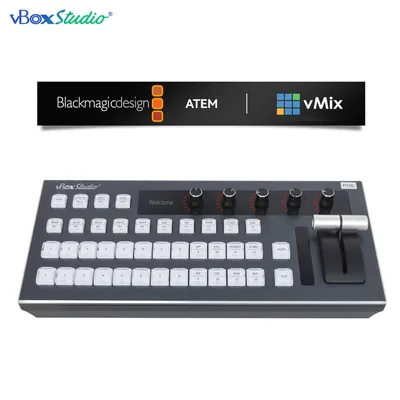
| vBoxStudio II | 12 program, 12 preview | vMix and ATEM | Network and USB | $705.99 |
| Switchblade VMC12 Pro | 12 | vMix | Network | Around $1,000 |
| ACME GO | Varies | vMix | USB | Around $500 |
| Skaarhoj panels | Configurable | vMix, ATEM, many others | Network | $1,500 and up |
| Generic MIDI controller | Whatever you map | Anything with MIDI learn | USB MIDI | $100 to $300 |
The MIDI route deserves a fair hearing: vMix has MIDI learn, and a cheap DJ controller with faders and buttons genuinely works. What you give up is labelling, tally feedback on the buttons, and the confidence that the mapping survives a reinstall.
The case for a panel that speaks two protocols
Productions change software more often than they change hardware. A panel that only speaks vMix becomes scrap the day the church buys an ATEM, and the reverse is equally true.
The vBoxStudio II drives both. Twelve channels of program and preview on either, plus the ATEM-specific keys (macros, AUX, M/E, super source) that a vMix-only panel has no reason to carry. If you are buying once and want the decision to survive a change of mind, that is the argument.
What to check before buying any of them
- Your vMix edition. Some control features are gated to higher editions. Check yours before you buy hardware to drive a feature you do not have.
- Connection type. A network panel needs a fixed address on the same subnet. A USB panel needs a cable run to the computer, which limits where the operator sits.
- Tally on the buttons. Buttons that light with program state are considerably faster to use than buttons that do not. Confirm before ordering.
- How many inputs you actually cut between. Twelve channels on a four-camera show is money spent on empty buttons.
The other direction: stop needing a computer
Every panel above assumes vMix is running on a Windows machine somewhere, and that machine is the thing most likely to fail on the day. If the show is three or four cameras and the graphics are simple, a switcher with the control built in removes the computer, the panel and the second operator at once.
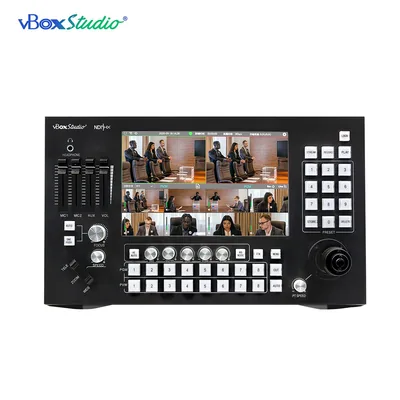
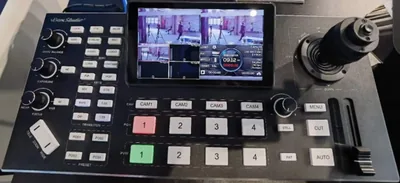
That is what the ViZion SP8 does: eight NDI inputs, a touch screen, a PTZ joystick, audio, recording and streaming in one box. It costs more than any panel here and replaces three devices. Whether that is the right trade depends on how much you rely on vMix’s graphics.
Questions
Will my old vMix Control Surface keep working? Yes. vMix still supports it. Support and spares are the risk, not compatibility.
Can I use a Stream Deck instead? For triggering shortcuts and overlays, yes, and many people do. For cutting with a T-bar, no.
Does the vBoxStudio II need vMix Pro? Check your edition against the feature you plan to control. Call 888-400-0607 with your version and we will tell you what it will and will not do.
Can one panel run vMix and an ATEM at the same time? Not simultaneously. It switches between them, which covers the case of a venue that owns both.
Full comparison of hardware options in the control surface guide.