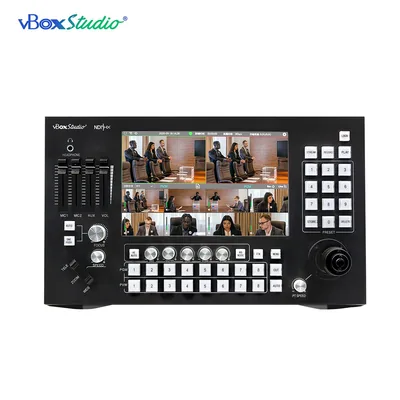
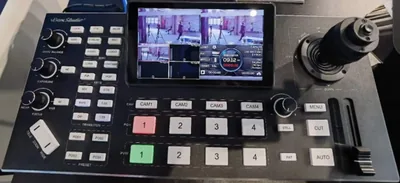



A switcher that streams on its own removes a computer, an encoder and a category of Sunday-morning failure from your setup. The configuration is two fields and one number. Getting the number wrong is why streams stutter.
The two fields
Every platform gives you two strings:
- Server address, which starts with
rtmp://orrtmps://and identifies the ingest point. - Stream key, a long unique string that identifies your channel. Treat it as a password. Anyone holding it can broadcast as you.
Older firmware on many switchers made you paste both into one box, joined by a slash, which is easy to get wrong and hard to debug. Firmware 1.7.06 for the ViZion SP8 split them into separate fields. Update from the firmware page if your unit still shows one.
Where to find them
YouTube: YouTube Studio, Go Live, Stream. The stream key is reusable; the server address is the same for everyone.
Facebook: Creator Studio or the Live Producer page, streaming software option. Facebook rotates keys unless you choose a persistent one.
Church and school platforms: in the streaming settings of your account, usually labelled “custom encoder” or “hardware encoder”.
Picking the bitrate
The number that matters is your upload speed, measured at the time of the service on the network the switcher uses. Not the download figure on the advert, and not a Tuesday-afternoon test.
| Output | Video bitrate | Upload you want |
|---|---|---|
| 720p 30 | 2.5 to 4 Mbps | 8 Mbps or better |
| 1080p 30 | 4 to 6 Mbps | 12 Mbps or better |
| 1080p 60 | 6 to 9 Mbps | 18 Mbps or better |
The rule of thumb is to stream at no more than half your measured upload. The other half absorbs everything else on the network, and the moment your stream and a staff member’s cloud backup want the same pipe, the viewer sees it.
If the choice is between 1080p that buffers and 720p that never does, send 720p. Record locally at full resolution for the edit.
Record and stream at once
Start the local recording before you start the stream, every time. When the internet drops mid-service, the recording is still complete and you have something to post. The SP8 records to USB while streaming, so this costs one extra button press.
Why a stream drops
Bitrate too close to the upload ceiling. The most common cause by a distance. Halve it and test again.
Wi-Fi in the path. Put the switcher on a cable. Always.
An expired stream key. Facebook in particular rotates single-use keys. Check the key before the service, not during it.
Someone else on the network. A shared office connection with a large upload running will take the stream down. If you can, put the video network on its own VLAN with priority.
Before every service
- Test upload speed on the switcher’s network.
- Check the stream key has not rotated.
- Start the recording.
- Start the stream and watch the platform’s health indicator for the first thirty seconds.
The three-camera church setup guide puts this into a full system, with cameras, audio and tally.
Questions
Do I need a computer to stream from an NDI switcher? No. A switcher with RTMP built in sends the stream itself. The computer is the thing most likely to fail on the day, so removing it is the point.
What bitrate should I use? No more than half your measured upload speed. As a starting point: 4 to 6 Mbps for 1080p30, 2.5 to 4 Mbps for 720p30.
Why does my stream keep dropping? Almost always the bitrate is too close to the upload ceiling. Halve it and test again. After that, check for Wi-Fi in the path and an expired stream key.
Where do I find my stream key? YouTube Studio under Go Live for YouTube, Live Producer for Facebook, and the streaming settings of your account on a church or school platform.
Can I record and stream at the same time? Yes, and you should. Start the recording first so a dropped connection does not cost you the service.