



The difference between a stream that looks directed and one that looks like a security camera is usually not the camera. It is whether the operator is recalling a framed shot or hunting for one with a joystick while the service carries on.
Presets solve that, and most installations set them badly. Here is how to set them so someone on their first Sunday can run the show.
Four presets per camera, no more
A volunteer under pressure will use three or four buttons. Give them twenty and they will use the first two and freeze. Decide the shots in advance and save exactly those.
Wide camera: one preset. The whole platform. It never moves. This is the shot you cut to when anything goes wrong, so it must always be correct.
Centre camera: three presets. Pulpit, lectern, and a two-shot wide enough for a baptism, a presentation or an interview.
Side camera: three presets. The band wide, the band tight on the singer, and the platform from the angle.
That is seven buttons for a whole service, and an operator can learn them in one rehearsal.
Name them for the moment, not the mechanics
“Preset 3” tells a volunteer nothing at 10:45 on a Sunday. “Pulpit” tells them everything. Name each preset for what happens in the service, and use the same names the rota uses when they talk about the service.
Write them on a card taped to the desk in the order they occur: Welcome, Songs, Reading, Sermon, Closing. Next to each, the camera and preset to use. That card does more for stream quality than any equipment purchase.
Set the recall speed slow
Most cameras default to recalling a preset as fast as the motors move, which looks like a jump cut with a swish in the middle. Two settings fix it.
Recall speed: slow it down. A move that takes one to two seconds reads as a camera move. One that takes a quarter of a second reads as a fault.
Cut away first. The best practice is not to watch a camera move at all: cut to another camera, move the first one, then cut back when it has settled. Presets are for preparing the next shot, not for performing the current one.
Setting a preset properly
- Frame the shot with the joystick, at the zoom you want.
- Let autofocus settle, then switch to manual focus if the camera offers it. Autofocus hunting during a sermon is the most common visible fault in a church stream.
- Save to a numbered slot.
- Move the camera somewhere else, recall the preset, and check it returns to exactly the same frame.
- Do it again after the room is set up on Sunday, because a music stand moved on Saturday changes the shot.
Step four is the one people skip, and it is the one that catches a preset saved with the zoom mid-travel.
On a switcher with the joystick built in
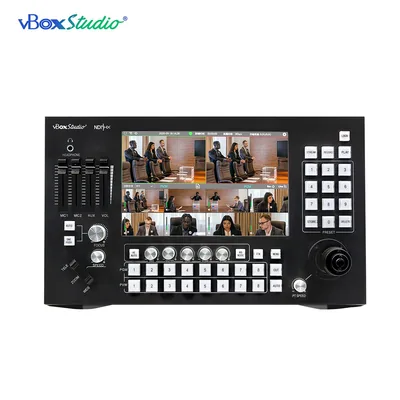
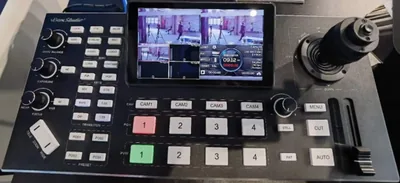
If the switcher and the camera controller are the same device, presets and cutting live on the same panel and the operator never changes hands. On the ViZion SP8 the joystick, the zoom rocker and the preset buttons sit beside the source buttons on one 10.1-inch screen. Select the camera, recall the preset, cut when it settles.
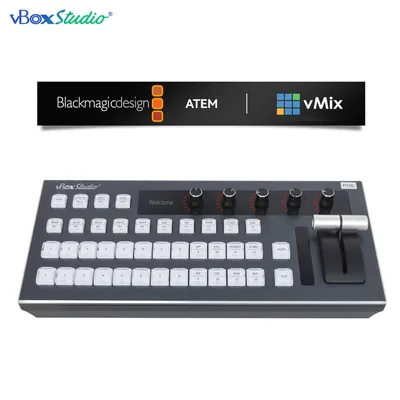
Where the switcher is a computer running vMix or ATEM Software Control, add a vBoxStudio-X controller so the camera moves come off a joystick rather than a mouse. The difference is visible in the first ten seconds of any recording.
Check them every month
Presets drift. Cameras get knocked, mounts settle, and the platform gets rearranged for Christmas. Put a monthly reminder on the rota to recall every preset and re-save the ones that have moved. Ten minutes, once a month.
Questions
How many presets can a camera store? Most PTZ cameras store dozens. The limit is what an operator can remember, not what the camera can hold.
Do presets survive a power cut? On most cameras yes, they are stored in the camera itself. Test yours rather than trusting it.
Can presets be recalled automatically? Some switchers can tie a preset recall to a source change. Useful for a fixed running order, risky for a service that changes.
Should the operator ever use the joystick live? Only on a camera that is not on air. Live joystick moves are for experienced operators and slow, deliberate pushes.
The three-camera church setup covers the whole system these presets sit inside.