










Tally is the red light that tells the person in front of the camera, and the operator behind it, which camera is live. On an SDI setup it needs its own wiring and usually a tally box. On NDI it travels on the network cable that is already carrying the video.
How it works
NDI is bidirectional. The camera sends video and audio to the switcher; the switcher sends back a small metadata message saying whether that source is currently on program, on preview, or neither. The camera reads it and lights the appropriate light: red for program, green for preview on most models.
There is no separate tally cable, no GPIO, no adapter. If the camera is on the network and the switcher supports tally, the light works.
Turning it on with a ViZion SP8
Tally control arrived in firmware 1.7.06, alongside the split RTMP fields and touch-screen input. Check the version on the switcher’s settings screen and update from the firmware page if you are behind.
- Confirm the switcher and every camera are on the same subnet.
- Open the NDI source list. Every discovered camera appears by name.
- Enable tally in the settings. The switcher starts sending state to each connected source.
- Cut between cameras and watch the lights follow.
When a light stays dark
The camera has tally disabled in its own menu. Most PTZ cameras have a setting for the front light, sometimes labelled “tally” and sometimes “power LED”. Cameras ship with it off often enough that this is the first thing to check.
The camera is on a different subnet. NDI discovery can cross subnets with a discovery server, but tally messages often do not survive the trip. Put the video network on one subnet and keep it there.
Multicast or IGMP snooping is misconfigured. On a managed switch, NDI discovery relies on mDNS. If IGMP snooping is on without a querier, discovery works intermittently and tally is the first thing to fail. Either configure a querier or turn snooping off on that VLAN.
Firmware is old on either end. Update the switcher first, then the camera.
Tally without a switcher that supports it
If your switcher does not send NDI tally, software tally bridges exist that watch the switcher’s API and drive lights over the network. They add a machine to the setup and another thing that has to be running on Sunday. A switcher that speaks tally natively is the setup with fewer moving parts.
Related
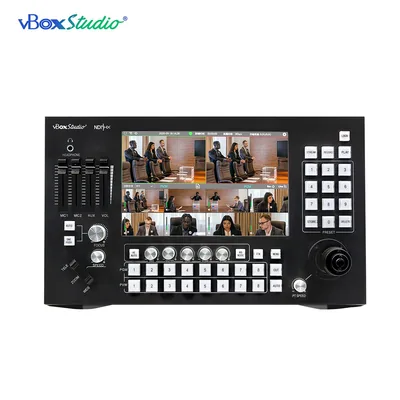
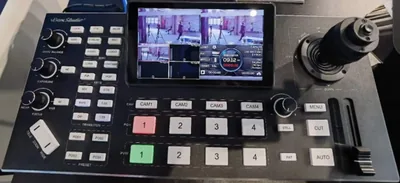
The ViZion SP8 handles eight NDI sources with tally, PTZ control and RTMP streaming from one panel. The three-camera church setup shows where tally fits in a full system.
Questions
Does NDI tally need extra wiring? No. The tally state travels on the same network cable that carries the video, in the opposite direction, as metadata.
Why is my tally light not coming on? Four usual causes: the light is disabled in the camera’s own menu, the camera is on a different subnet, IGMP snooping is running without a querier, or the firmware is old on one end.
What colour is preview tally? Green on most cameras, red for program. Some models only light for program.
Can I use tally without a switcher that supports it? Yes, with a software tally bridge that watches the switcher’s API. It adds a computer to the setup, which is the thing a hardware switcher was meant to remove.
Which firmware added tally to the SP8? Version 1.7.06, alongside the split RTMP fields and touch-screen input.