






The Nikon D7000 is a capable camera with a large sensor and cheap used prices, which makes it attractive as a streaming camera. One thing stands in the way: on most firmware versions, the HDMI output carries the shooting display over the picture. Focus points, exposure numbers and a battery icon land in your stream.
Firmware 1.0.3 outputs the picture without them. That is the whole fix.
What “clean HDMI” means
A clean output is the image alone: no overlays, no focus box, no information bar. A capture device or a switcher sees a plain video signal it can treat as a camera source. Without it, everything the camera draws on its own screen appears on the recording as well.
Which firmware you have, and which you want
Check on the camera: Menu, Setup, Firmware version. If it reads 1.01, 1.02, 1.04 or 1.05, the overlay is present. Version 1.03 outputs clean.
Going back to 1.0.3 is a downgrade, not an update, so the camera will not offer it. It has to be applied deliberately.
What you give up
Downgrading rolls back the fixes that came after 1.0.3, which for this camera were minor: some lens compatibility corrections and a couple of stability fixes. For a camera being used on a tripod as a video source, the trade is worth it. For a camera still doing paid photography work, think twice.
The steps
- Charge the battery fully, or run the camera on mains power. A camera that loses power during a firmware write is a camera that needs a service centre.
- Download the patched
D7000_0103.binfile from your order. - Rename it exactly
D7000_0103.binif it downloaded with a different name. - Format an SD card in the camera, then copy the file to the card’s root folder, not into a subfolder.
- Put the card in the camera and switch on.
- Menu, Setup, Firmware version, Update. Confirm.
- Wait. The camera restarts by itself. Do not open the battery door or the card slot until it does.
- Check the firmware version now reads 1.03.
There is a how-to video on the product page if you would rather watch it done.
Using the camera afterwards
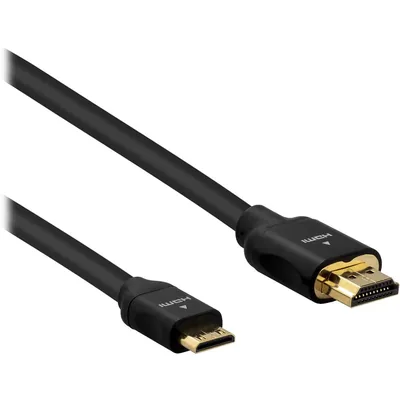
Set the camera to Live View, choose manual exposure so nothing shifts mid-service, and turn the auto power-off timer to its longest setting or off. Then take HDMI into a capture device: the ViZion K10 at $24.90 takes HDMI in and presents the camera to a computer as a USB webcam, which is all most streaming software wants.
Two practical notes. The D7000 has a thirty-minute recording limit that also affects long Live View sessions, so it suits a talk rather than a three-hour event. And it runs its battery down quickly in Live View, so use the EP-5B mains adapter for anything longer than a few minutes.
Questions
Is downgrading safe? Firmware writes are safe when the power is stable and the file is correct. Both risks are yours to remove before you start.
Can I go back to the newer firmware? Yes, by applying Nikon’s own update the same way.
Does this work on other Nikon bodies? No. This file is for the D7000. Other bodies have their own situations, and many later models output clean HDMI without any change.
Will it record 1080p? The D7000 does 1080p24 internally. The HDMI output is 720p on this body, which is fine for streaming and worth knowing before you plan a 1080p show around it.