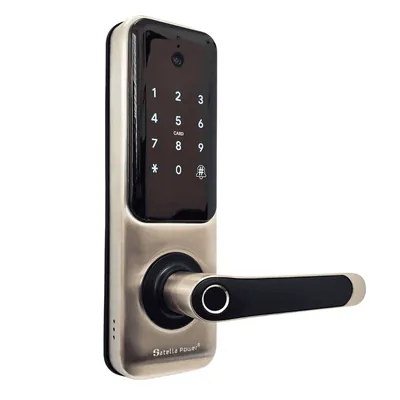
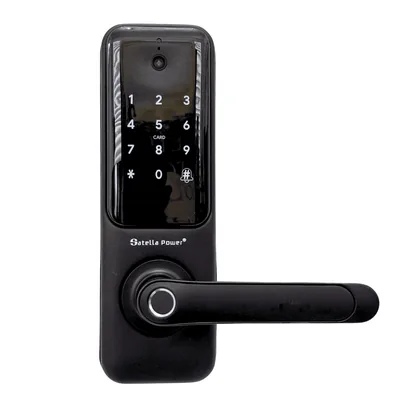
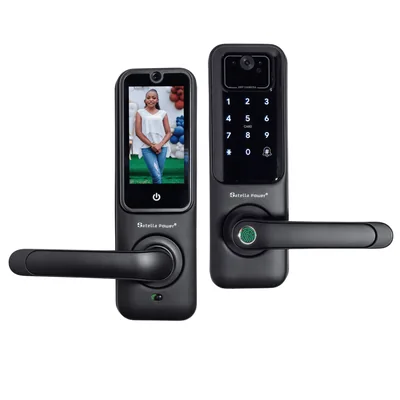
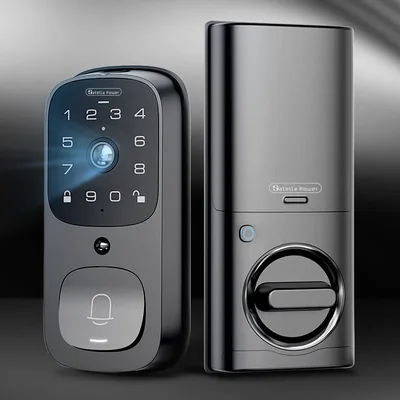





A fingerprint lock replaces the lock that is on your door now. It uses the same two holes, the same latch pocket in the door edge, and the same strike plate on the frame. If a standard handle set or deadbolt came off, one of these goes on, and the tool you need is a Phillips screwdriver.
What follows is the whole job in order, with the two measurements that decide whether a lock fits before you buy it.
Measure first: two numbers decide everything
Door thickness. Open the door and measure across the edge, from the inside face to the outside face. Satella Power locks fit 35 to 65 mm, which covers almost every residential door in the United States, including a 1 3/4 inch door at 44 mm. If your door is thicker than 65 mm, call before ordering and ask about the extended spindle.
Backset. Measure from the edge of the door to the centre of the hole the handle sits in. Two sizes exist in practice: 60 mm (about 2 3/8 inches) and 70 mm (about 2 3/4 inches). The mortise that ships in the box adjusts between them, so you do not need to choose at checkout, but you do need to know which one you have when you fit it.
Write both numbers down. If the thickness is between 35 and 65 mm and the backset is 60 or 70 mm, the lock fits and you can order.
What comes in the box
- Front panel with the keypad and fingerprint sensor
- Back panel with the battery compartment and the thumb turn
- Mortise (the latch mechanism that sits inside the door edge), strike plate and screws
- Two mechanical keys
- Four AAA batteries
- A quick-start card, with the full manual on our site
Take the old lock off
Undo the two screws on the interior handle and pull both handles away from the door. Then undo the two screws on the door edge that hold the old latch, and pull the latch out of the edge. Keep every part in a bag, especially if you rent, because the original lock goes back on when you leave.
You now have a door with two holes: a large one through the face for the lock body, and a small one through the edge for the latch.
Fit the new mortise
Slide the new mortise into the door edge with the sloped face of the latch pointing towards the frame, so the door can close against it. Set it to your backset first: the mortise has a marked adjustment for 60 and 70 mm, and it takes a second to slide before it goes in the door. Screw the face plate to the door edge.
Check the latch moves freely by pressing it with a thumb. If it binds, the mortise is not seated square, so back the screws off and reseat it.
Hang the panels and run the cable
The front panel has a ribbon cable and a spindle. Feed both through the large hole from outside, then hold the panel flat against the door.
From the inside, guide the spindle through the mortise and seat the back panel on the through-bolts. Do not pinch the ribbon cable: run it above or below the spindle, in the channel moulded into the back panel, never across the middle where the bolts tighten.
Tighten the two bolts by hand until both panels sit flush, then a quarter turn more with the screwdriver. Overtightening bows the panels and makes the handle stiff. Test the handle now, before you go further.
Plug in and power up
Push the ribbon cable connector into the socket on the back panel until it clicks. Put four AAA batteries in the compartment, watching the polarity markings. The keypad lights and the lock announces itself.
Set the admin code first
Before you enrol anyone, set the administrator code. It is what lets you add and delete fingerprints and codes for the life of the lock, and the factory default must not survive first use. Choose eight digits, write them where you keep your passwords, and do not use the house number.
Enrol the first fingerprint
Enter the admin code, choose the fingerprint option, and press the same finger on the sensor as many times as it asks, lifting between each press. Roll the finger slightly each time so the lock records the edges as well as the pad.
Enrol two fingers per person, one from each hand. The day someone is carrying shopping or has a plaster on a thumb, the second finger earns its place. The lock holds 200 prints, so there is no reason to be sparing.
Connect it to Wi-Fi, if you want the app
The lock joins a 2.4 GHz network. If your router broadcasts 2.4 and 5 GHz under one name, either split them temporarily or use the app’s guided setup, which handles it. The lock does not need Wi-Fi to open on a fingerprint or a code. Wi-Fi is what gives you remote codes, the access log, the doorbell snapshot and the low-battery warning.
Check the strike alignment before you finish
Close the door slowly and watch the latch meet the strike plate on the frame. It should slide into the hole without being lifted or forced. If the door has to be pulled to lock, the strike is a few millimetres out: loosen its two screws, move it, and retighten. A lock fighting a misaligned strike drains batteries and wears the motor.
Common problems
Handle feels stiff. The through-bolts are too tight, or the spindle is not centred in the mortise. Loosen both bolts, reseat, and tighten evenly.
Keypad does not light. The ribbon cable is not fully seated, or it was pinched during assembly. Take the back panel off and check the connector and the cable run.
Fingerprint fails for one person. Delete and re-enrol, pressing more firmly and rolling the finger. Dry skin reads badly; a little hand cream, rubbed in and wiped off, helps for a season.
Door will not latch. Strike plate alignment, ninety-nine times out of a hundred.
How long it takes
Twenty minutes if the old lock comes off cleanly and the backset matches. An hour if you also need to move the strike plate. No drilling, on a door that already had a lock.
The full manual for each lock, with the app screens, is in the lock section of our site. If a door is unusual, call 888-400-0607 and describe it before you order.
Questions
Do I need to drill the door? Not if it already has a standard lock. The new lock uses the existing 54 mm bore and the existing latch pocket. Drilling only comes into it on a door that has never had a lock fitted.
How long does it take? About twenty minutes when the old lock comes off cleanly and the backset matches. Allow an hour if the strike plate also needs moving.
What tools do I need? A Phillips screwdriver and a tape measure. Nothing else for a standard swap.
Can I fit it myself? Yes, if you can change a door handle. If the door is a fire door, a communal entrance or anything you do not own outright, get permission first.
What if the backset is wrong? The mortise in the box adjusts between 60 and 70 mm, which covers both standard sizes. Set it before it goes into the door edge.